

Best Gaming Pc: Your Ultimate Buying Guide
Embarking on the quest for the best gaming pc can be both exhilarating and daunting. With a myriad of components, configurations, and brands available, discerning the ideal system requires careful consideration. Ultimately, the best gaming PC is one that perfectly aligns with your specific gaming habits, budget, and future aspirations. This guide aims to demystify the process, helping you make an informed decision to elevate your gaming experience.
Understanding Your Gaming Needs
Before diving into technical specifications, it is paramount to define your primary gaming objectives. Different types of gamers require varying levels of power and functionality. Therefore, identifying your profile is the crucial first step.
Casual Gamer
If you primarily enjoy less demanding titles, indie games, or older AAA releases, a high-end machine might be overkill. Your focus should be on a system that offers smooth performance at 1080p resolution without breaking the bank. Consequently, a mid-range GPU and a capable quad-core CPU will often suffice.
Enthusiast Gamer
For those who crave the latest AAA titles at high settings, 1440p resolution, or even entry-level 4K, an enthusiast-level setup is essential. This category typically demands a powerful GPU, a robust multi-core CPU, and ample RAM. Furthermore, a fast SSD is a must for quick load times.
Professional/Streamer
Professionals, streamers, and content creators require uncompromising performance. They often game at high refresh rates, render videos, or stream simultaneously. Therefore, a top-tier GPU, a high-core-count CPU, and significant amounts of fast RAM are non-negotiable. Moreover, superior cooling and abundant storage are also critical components.
Key Components of the best gaming pc
The heart of any gaming PC lies in its components. Understanding their roles and how they interact is fundamental to building or buying the best gaming pc.

Central Processing Unit (CPU)
The CPU, or the ‘brain’ of your computer, handles all general computations. For gaming, a CPU with strong single-core performance is often more critical than a very high core count, although modern games increasingly utilize multiple cores. Intel’s Core i5/i7/i9 series and AMD’s Ryzen 5/7/9 series are the main contenders.
- Intel vs. AMD: Both offer excellent processors. Intel often excels in raw single-core speed, while AMD provides better multi-core performance for tasks like streaming or content creation. The choice often comes down to specific models and current pricing.
- Core Count and Clock Speed: For gaming, 6 to 8 cores are usually optimal. High clock speeds (measured in GHz) directly impact in-game performance. However, higher core counts are beneficial for multitasking and future-proofing.
Graphics Processing Unit (GPU)
Arguably the most critical component for gaming, the GPU renders all the visuals you see on your screen. Therefore, allocating a significant portion of your budget here is wise. NVIDIA GeForce RTX series and AMD Radeon RX series dominate the market.
- NVIDIA GeForce vs. AMD Radeon: NVIDIA is often preferred for its ray tracing performance and DLSS technology, which uses AI to boost frame rates. AMD offers competitive raw performance, often at a better price point, and features FSR (FidelityFX Super Resolution) as an alternative to DLSS. Your choice depends on specific game optimizations and budget.
- VRAM Importance: Video RAM (VRAM) stores graphics data. More VRAM allows for higher resolutions, richer textures, and better performance in demanding games. Aim for at least 8GB for 1080p/1440p gaming, and 12GB+ for 4K.
- Resolution and Refresh Rate Considerations: A powerful GPU is necessary to drive high refresh rate monitors (144Hz+) and higher resolutions (1440p, 4K). Consequently, matching your GPU to your monitor’s capabilities is essential for a smooth experience.
Random Access Memory (RAM)
RAM is your system’s short-term memory, holding data that the CPU needs to access quickly. For gaming, 16GB of RAM is generally the sweet spot. However, 32GB is becoming increasingly common for high-end systems and future-proofing.
- DDR4 vs. DDR5: DDR5 is the newer, faster standard, offering higher bandwidth. However, it requires a compatible motherboard and CPU. DDR4 remains a viable and more affordable option for many builds. Regardless of type, aim for higher frequencies (e.g., 3200MHz for DDR4, 5200MHz+ for DDR5).
- Capacity and Speed: While capacity is important, RAM speed also significantly impacts CPU performance, especially with AMD Ryzen processors. Furthermore, ensure you’re using RAM in a dual-channel configuration (two sticks) for optimal bandwidth.
Storage (SSD vs. HDD)
Modern gaming demands fast storage. Solid State Drives (SSDs) are vastly superior to traditional Hard Disk Drives (HDDs) for gaming due to their speed. Therefore, an SSD for your operating system and primary games is non-negotiable.
NVMe SSDs:** These are the fastest type of SSDs, connecting directly to the motherboard via a PCIe slot. They offer significantly quicker load times than SATA SSDs. For the *best gaming pc, an NVMe drive is highly recommended.
- Capacity Needs: A 1TB NVMe SSD is a good starting point for most gamers. However, if you have a large game library, consider a 2TB NVMe drive or a combination of a smaller NVMe for OS/key games and a larger SATA SSD or HDD for mass storage.
Motherboard
The motherboard connects all your components. Its chipset determines compatibility with your CPU and RAM, while its features dictate connectivity and upgrade potential.
- Chipset and Form Factor: Ensure the motherboard’s chipset is compatible with your chosen CPU. Common form factors include ATX, Micro-ATX, and Mini-ITX, dictating the size of your case and the number of expansion slots.
- Connectivity: Look for sufficient USB ports, M.2 slots for NVMe SSDs, PCIe slots for your GPU and other expansion cards, and good networking options (Gigabit Ethernet, Wi-Fi 6/6E).
Power Supply Unit (PSU)
The PSU delivers power to all your components. A reliable, appropriately sized PSU is crucial for system stability and longevity. Moreover, never skimp on the PSU; a cheap, unreliable unit can damage other components.
- Wattage and Efficiency: Calculate your estimated wattage needs based on your components and add a buffer (e.g., 100-200W). Look for 80 Plus Bronze, Gold, or Platinum ratings, indicating higher efficiency and less wasted heat.
Cooling Solution
High-performance components generate heat, which can lead to thermal throttling and reduced performance. Effective cooling is therefore vital.
- Air Cooling vs. Liquid Cooling: High-end air coolers are effective and often more affordable. Liquid coolers (AIOs) offer superior cooling performance, especially for overclocked or high-end CPUs, and can also look aesthetically pleasing. Consequently, the choice often depends on your CPU, case, and aesthetic preferences.
Pre-built vs. Custom-built Gaming PCs
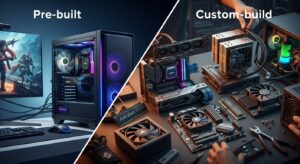
One of the biggest decisions is whether to buy a pre-built system or assemble one yourself. Both options have distinct advantages.
Advantages of Pre-built
Pre-built PCs offer convenience, often come with warranties covering the entire system, and are ready to use out of the box. They can also be a good option when component prices are volatile, as manufacturers buy in bulk. Furthermore, professional assembly ensures all parts are correctly installed.
Advantages of Custom-built
Building your own PC provides unparalleled customization, allowing you to select every component to perfectly match your needs and budget. It can often be more cost-effective, and you gain a deeper understanding of your system. Moreover, the experience of building your own best gaming pc is incredibly rewarding.
When to Choose Each
Choose pre-built if you prioritize convenience, system-wide warranty, and don’t mind paying a slight premium. Opt for custom-built if you enjoy the process, want maximum control over components, and aim for the best price-to-performance ratio.
Optimizing Your Gaming Experience Beyond the PC
A powerful PC is only one part of the equation. Peripherals and software also play a significant role in achieving the best gaming pc experience.
Monitor Selection
Your monitor is your window into the game world. Consider resolution (1080p, 1440p, 4K), refresh rate (60Hz, 144Hz, 240Hz+), response time (1ms is ideal), and panel type (IPS for colors, TN for speed, VA for contrast). Adaptive Sync technologies (G-Sync, FreeSync) are also crucial for tear-free gaming.
Peripherals (Keyboard, Mouse, Headset)
High-quality peripherals enhance comfort and performance. A mechanical keyboard, a precise gaming mouse, and an immersive headset can significantly improve your gameplay and overall enjoyment. Furthermore, ergonomic design is vital for long gaming sessions.
Software and Drivers
Keep your operating system, GPU drivers, and game launchers updated. Optimized drivers can provide significant performance boosts and stability improvements. Additionally, managing background processes and optimizing in-game settings are crucial steps.
Budgeting for Your Best Gaming PC
Establishing a budget early on is critical. Gaming PCs can range from under $800 to several thousand dollars. Consequently, understanding where to allocate your funds is key.
Entry-Level Builds (Under $1000)
These systems are ideal for 1080p gaming at medium to high settings. They typically feature a mid-range CPU (e.g., Ryzen 5, Core i5) and a capable entry-level to mid-range GPU (e.g., RTX 3050/3060, RX 6600/6700).
Mid-Range Powerhouses ($1000 – $2000)
This segment offers excellent 1440p performance and even entry-level 4K. You’ll find more powerful CPUs (e.g., Ryzen 7, Core i7) and stronger GPUs (e.g., RTX 4070, RX 7800 XT). This category often provides the best balance of price and performance.
High-End Dream Machines ($2000+)
Designed for uncompromised 4K gaming, high refresh rates, and demanding professional tasks. These builds feature top-tier CPUs (e.g., Ryzen 9, Core i9) and flagship GPUs (e.g., RTX 4080/4090, RX 7900 XTX). Furthermore, they often include premium cooling solutions and abundant fast storage.
Future-Proofing Your Investment
Technology evolves rapidly, but you can take steps to ensure your best gaming pc remains relevant for years to come. Ultimately, smart choices today can save you money tomorrow.
Upgradeability
Choose a motherboard with multiple M.2 slots, sufficient RAM slots, and a modern CPU socket that might support future processor generations. A high-quality PSU with extra wattage headroom is also beneficial for future GPU upgrades.
Component Lifespan
While GPUs are often the first component to show their age, a robust CPU, ample RAM, and fast storage will typically remain viable for longer. Consequently, investing in these foundational components helps extend the overall lifespan of your system before a major overhaul is needed.
your gaming experience will goes Nice Visit our other blogs also visit us at Pintrest.