
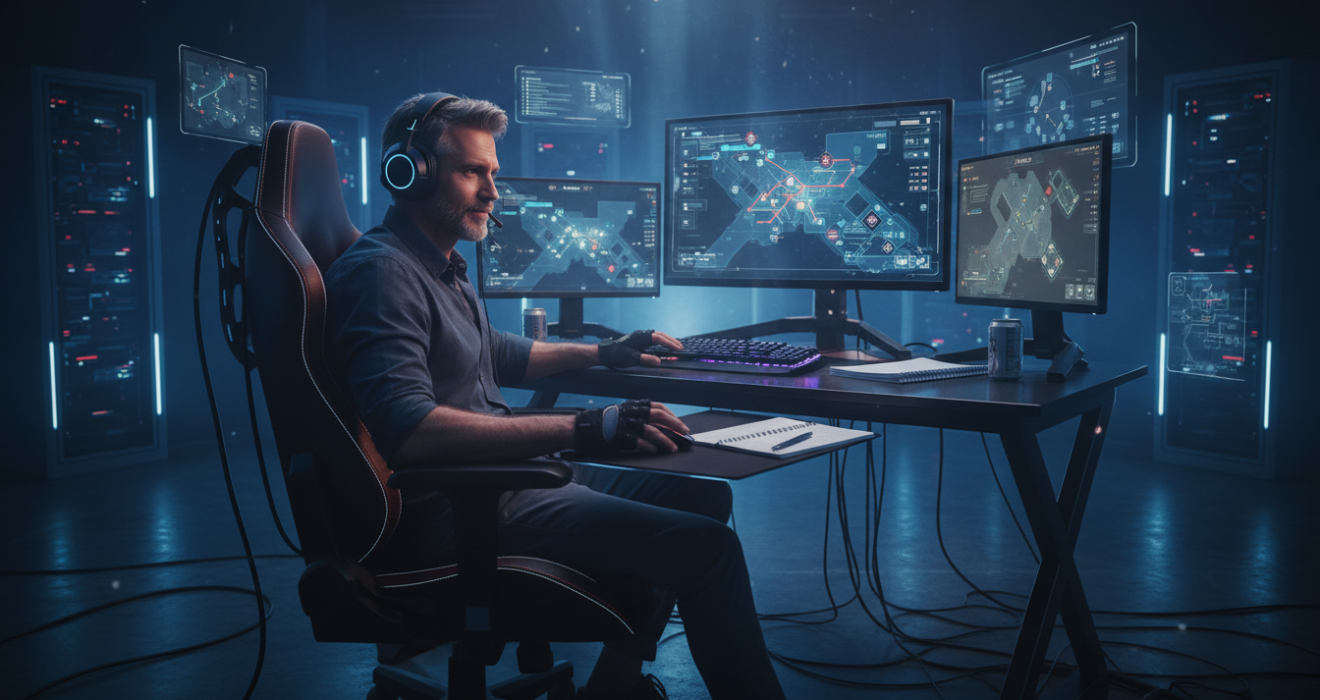
Elite Gaming Tips and Tricks: Beyond the Basics
Elite Gaming Tips and Tricks: Beyond the Basics of Competitive Play
I remember the exact moment I realized that raw talent wasn’t enough. I was sitting in a dimly lit dorm room, staring at a defeat screen in Overwatch, my wrist throbbing from tension. I had the reflexes of a fighter jet pilot, or so I thought, but I was hard-stuck in a rank that I felt was beneath me. It wasn’t until I stopped trying to force the win and started deconstructing the mechanics of play—hardware latency, cognitive load, and pixel-perfect positioning that I finally broke through that ceiling. This isn’t just about “getting good.” It is about understanding the invisible systems that dictate victory. Elite Gaming Tips and Tricks: Beyond the Basics.
The internet is flooded with generic advice telling you to “practice more” or “communicate with your team.” That is noise. If you are here, you want the granular, technical, and psychological gaming tips and tricks that separate the top 1% from the rest of the pack. We are going to strip away the clichés and look at the science of competitive gaming.
Executive Summary: The Meta-Layer of Performance
Before we dissect the specifics, here is a high-level breakdown of the pillars we will be optimizing. Consider this your roadmap to systemic improvement.
| Category | Core Concept | The “Pro” Difference |
|---|---|---|
| Hardware Latency | Input Lag & Frame Times | Reducing system latency by milliseconds to exploit “Peeker’s Advantage.” |
| Cognitive Load | Mental Stack Management | Automating mechanics to free up brainpower for macro-strategy. |
| Physical Ergonomics | Proprioception & Posture | Consistent aim comes from consistent body positioning, not just hand-eye coordination. |
| Network Optimization | Packet Pacing & Jitter | Stabilizing the connection to ensure server-side registration matches client-side action. |
The Hardware Chain: Reducing Invisible Friction
Most players obsess over their graphics card, but they ignore the signal chain. I have seen guys with $3,000 rigs lose duels because their input processing was sloppy. When we talk about gaming tips and tricks for hardware, we aren’t talking about buying a better GPU. We are talking about latency harmonization.
Optimizing the Input Lag Pipeline
Your mouse click has to travel through the switch, the USB controller, the CPU, the render queue, and finally the monitor. Every step adds delay. I once spent a week tweaking a rig where the user felt “sluggish” despite hitting 200 FPS. The culprit? Prerendered frames.
Go into your driver settings (NVIDIA Control Panel or AMD Adrenalin). Locate “Low Latency Mode” or “Anti-Lag” and set it to Ultra or On. This forces the CPU to queue frames just before the GPU needs them, minimizing the buffer. It might cost you 1-2 FPS, but the responsiveness gain is palpable. You can verify your system’s total latency using tools like Blur Busters, which offer incredible depth on motion blur reduction and input lag testing.
The DPI Myth and eDPI Reality
Marketing teams love to sell mice with 25,000 DPI. Using that is madness. High DPI introduces noise and jitter. The sweet spot for most competitive shooters is between 400 and 1600 DPI. However, the real metric is eDPI (Effective Dots Per Inch), which is your Mouse DPI multiplied by your In-Game Sensitivity.
If you are struggling with micro-adjustments, your eDPI is likely too high. I suggest a “sensitivity detox.” Lower your sensitivity until it feels uncomfortably slow, then play for two hours. Your brain will recalibrate to use your arm for big turns and your wrist for fine aiming. This hybrid movement style is a staple among veterans. You can find more discussions on gear calibration in the comprehensive guides at Bliss Lifes, where they break down specific peripheral setups for different genres.
Cognitive Performance: Rewiring Your Brain
Let’s shift gears. Your hardware is optimized, but your software your brain is likely bottlenecking you. In high-stakes matches, decision fatigue sets in. You stop checking corners; you forget to track ultimates. This is where psychological gaming tips and tricks come into play.
Managing the “Mental Stack”
Fighting game enthusiasts know this term well. The “Mental Stack” is the limited amount of working memory you have available. If you are actively thinking about how to execute a combo or which key throws a grenade, you are burning mental resources that should be used for reading your opponent.
The goal is automation. Drill your mechanics until they are boring. I remember grinding Rocket League aerials until I could do them while talking to my chat. Once the mechanics are autonomic, your conscious mind is free to process complex tactical data. If you have to think about aiming, you have already lost the duel.
The Science of “Tilt” and Cortisol
We have all been there. You miss a shot, you get annoyed, and suddenly you are playing 50% worse. This is a biochemical reaction. Cortisol floods your system, triggering a fight-or-flight response that literally shuts down the prefrontal cortex—the part of your brain responsible for strategy and logic. You revert to primal, reactive play.
To counter this, you need a “reset trigger.” For me, it is taking my hands off the keyboard and taking one deep, diaphragmatic breath between rounds. It sounds like yoga fluff, but it physically signals your parasympathetic nervous system to calm down. Ignoring this is why people go on ten-game losing streaks.
Mechanical Mastery: Advanced Aiming Concepts
Aim is not just pointing and clicking. It is a complex interaction of visual recognition and fine motor control. When analyzing gaming tips and tricks for aiming, we need to distinguish between tracking and clicking (flicking).
The 20-Minute Warm-Up Protocol
Never jump into ranked cold. It is a recipe for RSI (Repetitive Strain Injury) and SR (Skill Rating) loss. My routine relies on isolation exercises. I use aim trainers like Kovaak’s or Aim Lab, but I don’t just mindlessly shoot orbs. I focus on “smoothness training.”
Try to track a moving target without jittering. It is harder than it looks. You want your crosshair to look like it is glued to the target. If you are constantly micro-correcting, your tension is too high. Relax your grip. A death-grip on the mouse reduces range of motion and increases fatigue. For benchmarks on human reaction times, check out Human Benchmark to see where you stack up against the global average.
Crosshair Placement: The Lazy Gamer’s Aim Bot
The best aimers actually aim the least. This sounds contradictory, but watch a pro replay. Their crosshair is always at head level, pre-aimed at the angle an enemy is likely to peek. They don’t have to flick across the screen because the enemy walks into their crosshair.
This is “pre-visualization.” Before you round a corner, visualize where the enemy’s head will be. If you are looking at the floor or the wall, you are adding milliseconds to your Time-to-Kill (TTK). Good crosshair placement reduces the mechanical requirement of a kill by 80%.
Network Engineering for Gamers
You can’t shoot what isn’t there. Online gaming is an illusion of synchronization. In reality, you are looking at a ghost of where your enemy was 50 milliseconds ago. Understanding network interpolation is one of the most technical gaming tips and tricks you can learn.
Buffer Bloat and QOS
Having a high download speed doesn’t mean you have good gaming internet. You care about ping stability and jitter. “Buffer bloat” occurs when your router queues up too much data (like a Netflix stream in the other room), causing your game packets to wait in line.
I recommend setting up Quality of Service (QoS) on your router. Prioritize your PC’s MAC address above all other traffic. Furthermore, use a wired ethernet connection. Wi-Fi acts like a walkie-talkie (half-duplex)—only one device can speak at a time. Ethernet is a telephone (full-duplex). The difference in packet consistency is night and day.
Peeker’s Advantage Explained
Because of network latency, the player moving around a corner sees the stationary player slightly before the stationary player sees them. The server receives the mover’s position update before it sends that update to the camper.
Use this. In online play, aggression is rewarded by the netcode. If you know where an enemy is, swing the angle decisively. Do not “slow walk” a peek, or you will be visible on their screen before your camera clears the wall. It is a quirk of physics and code that you must exploit.
Sound Engineering: The Hacking of Audio
Visuals are only half the data stream. Audio cues often travel faster to the brain than visual ones. Most gamers slap on a headset and call it a day, but they are missing out on Head-Related Transfer Function (HRTF) optimization.
Stereo vs. 7.1 Surround Gimmicks
Ignore the “7.1 Surround Sound” marketing on gaming headsets. It is usually virtualized muddy processing. A high-quality stereo setup with good imaging is superior. Games use their own audio engines to simulate 3D space. If your headset driver tries to add its own 3D processing on top, it distorts the directional cues.
Turn off all “audio enhancements” in Windows. Set your format to the highest Hz your DAC supports (usually 24-bit, 48000Hz or 96000Hz). Clean audio allows you to pinpoint footsteps through walls, essentially giving you a wallhack provided by your own ears.
Strategic Macro-Play: The Game Within the Game
Mechanical skill hits a plateau. Strategy does not. The highest level of gaming tips and tricks involves economy management and map control.
Economy as a Weapon
In tactical shooters like Valorant or CS:GO, or MOBAs like League of Legends, money (or gold) is more important than kills. I have won countless matches simply by starving the enemy team. If you win a round but lose 4 weapons, it was a pyrrhic victory.
Track the enemy economy. If you know they are broke, you can predict their behavior (they will play corners with shotguns or rush together). If they are rich, expect snipers and utility spam. Adjust your positioning accordingly.
The concept of “Space”
In Overwatch or MOBAs, “space” is the area of the map your team controls safely. Tanks create space; DPS utilize space; Supports maintain space. If you are flanking deep alone, you are not creating space; you are gambling.
Always ask: “What area of the map does my presence deny to the enemy?” If the answer is “none,” you are out of position. For a deeper repository of game-specific strategies, I frequently reference the community hubs on Steam Community, where veteran players break down map control frame-by-frame.
Health and Longevity: The Boring Truth
You might roll your eyes, but you cannot game if your wrist is fused or your eyes are burning. I learned this the hard way with a bout of tendinitis that sidelined me for three months.
The 20-20-20 Rule
Eye strain kills reaction time. Every 20 minutes, look at something 20 feet away for 20 seconds. It resets the ciliary muscles in your eyes. Also, keep your room lit. Playing in a pitch-black room with a bright monitor maximizes contrast strain.
Ergonomic Anchoring
Your elbow should be your pivot point. If your wrist is resting on the edge of the desk, you are compressing the carpal tunnel. Slide your chair up, get your desk height aligned so your forearm is parallel to the floor. This mechanical advantage allows for longer sessions with higher precision. Consistency in posture leads to consistency in aim.
Advanced Settings Checklist
To wrap up this deep dive into gaming tips and tricks, let’s look at the obscure settings menu items that ruin gameplay if left checked.
- Disable Enhanced Pointer Precision: This is Windows’ built-in mouse acceleration. It destroys muscle memory. Turn it off in Control Panel immediately.
- Motion Blur & Depth of Field: These are cinematic effects that obscure vision. In competitive play, clarity is king. Turn them off.
- Chromatic Aberration: Another post-processing effect that blurs edges. Disable it.
- Shadow Quality: Set this to medium or low in competitive games. Often, complex shadows hide enemies, whereas simple shadows still give away position without the visual clutter.
The path to mastery is paved with small, incremental optimizations. It isn’t about one secret trick; it is about the aggregation of marginal gains. Your mouse sensor, your cortisol levels, your router’s packet queue, and your crosshair placement all feed into the same outcome. Start treating your gaming setup and your body like a Formula 1 car—tweak the aerodynamics, refine the engine, and then, only then, can you truly drive.
For more specific breakdowns on genre-based tactics and gear reviews, keep checking back at Bliss Lifes. The meta is always shifting, and staying ahead of the curve is the only way to stay on top of the scoreboard.